> For the complete documentation index, see [llms.txt](https://limechatai.gitbook.io/limechat-product-guide/llms.txt). Markdown versions of documentation pages are available by appending `.md` to page URLs; this page is available as [Markdown](https://limechatai.gitbook.io/limechat-product-guide/helpdesk/limechat-wallet.md).
# LimeChat Wallet
### 1) What is Wallet?
Wallet is a **prepaid balance** that LimeChat uses to deduct WhatsApp usage charges automatically. It helps you:
* maintain a prepaid balance for messaging
* run broadcasts without manual billing steps
* track deductions through UI and downloadable reports
> **Important:** Wallet billing follows **Meta’s WhatsApp pricing rules** (category + recipient market, billable status logic). LimeChat uses Meta’s rules directly for charging.
### LimeCoins (Wallet unit)
**LimeCoins** are the unit shown in the Wallet UI. They represent the **usable balance available for WhatsApp messaging charges** inside LimeChat.
Why LimeCoins:
* LimeCoins provide a consistent internal unit for wallet usage and reporting.
* All deductions and usage views within LimeChat are shown in LimeCoins.
### 2) Wallet setup
To enable billing via Wallet, go to **Wallet** → click **Initiate Wallet**.
You will be asked for:
* **Email** (used for payment links/invoices)
* **Phone number** (used for payment communications)
Once initiated, your wallet becomes active and ready for recharges.
All the concerned communications will be done on the defined Email and Phone Number.
### 3) Adding funds
#### 3.1 Recharge flow
1. Open **Wallet**
2. Click **Add Funds**
3. Enter the amount
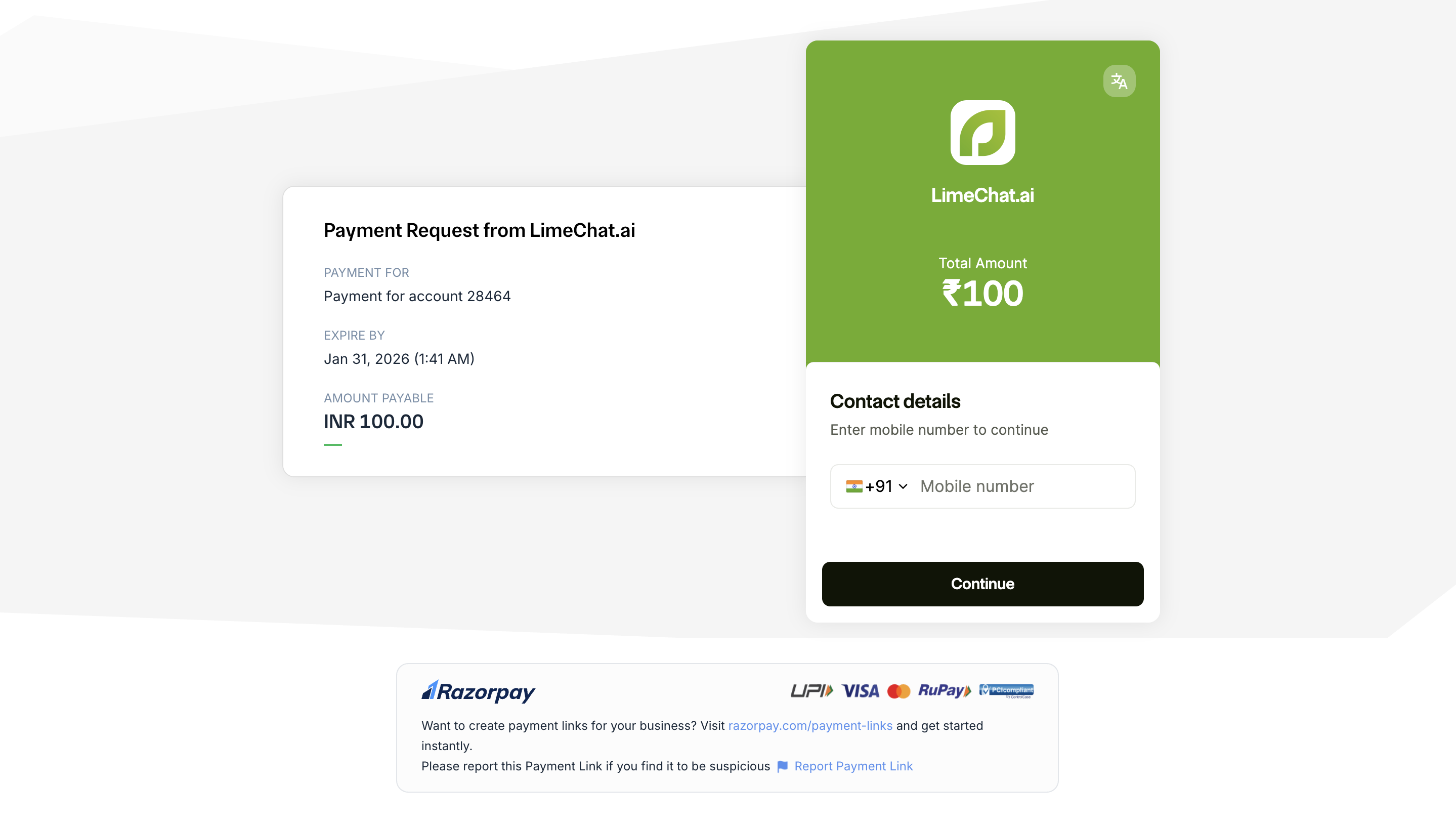
4. Complete payment on the redirected payment page
5. After a successful payment, your **wallet balance updates automatically**
#### 3.2 When you’ll see the prompt
If your wallet balance is low (or zero), LimeChat will show a **low-balance banner** on the wallet page with an **Add Funds** option.
#### 3.3 How balance is reflected
Wallet balance is shown in **LimeCoins** (the wallet unit displayed in the UI).\
You can track all recharges and deductions in **Transaction History**.
#### 3.4 Taxes (GST)
All wallet recharges are subject to **18% GST** (as applicable). This will be reflected as part of the overall billing/recharge computation.
####
### 4) How deductions happen (WhatsApp usage)
#### 4.1 What usage is deducted from Wallet
Wallet deductions apply to WhatsApp message usage, including:
* **Broadcast messages** (templates)
* **Automation flow messages** (templates)
* **Agent-sent WhatsApp messages** (where templates apply)
#### 4.2 How we calculate charges
Charges are calculated based on **Meta’s pricing rules** (category + recipient market + billable conditions). LimeChat uses Meta’s APIs directly for these calculations.
#### 4.3 Deduction frequency
Wallet deductions are **aggregated and deducted hourly** (not in real-time per message), for broadcasts deductions are done as the broadcast is triggered.
#### 4.4 Usage visibility (UI + reports)
You will have:
* a **Credit History table in the UI** to view deductions and usage summary, and
* a **downloadable report** for deeper breakdown and reconciliation (ledger-style view).
Credit History
### 5) Broadcast billing (Instant vs Scheduled)
Broadcasts can be run:
* **Instant** (send now)
* **Scheduled** (send at a later time)
**Important rule:**\
Whether you schedule the broadcast or send it right away, you must have the **required wallet balance at the time of setup/publish** (so the broadcast cost can be validated and reserved).
### 6) Instant Broadcast
#### 6.1 Before publishing: cost estimation + wallet check
When you create an instant broadcast, LimeChat estimates the cost before publishing.
At publish time:
* we calculate an **estimated broadcast cost**
* we check your **wallet balance**
* if balance is sufficient, you can publish the broadcast
> Once an instant broadcast starts, it will complete. We do not stop a broadcast mid-run.
#### 6.2 Audience selection: Segment vs CSV
You can create broadcasts using either:
* **Segments** (audience defined by filters/rules)
* **CSV Upload** (audience uploaded by you)
Both methods follow the same wallet logic; only estimation differs.
### 7) Broadcast with Segments (How estimation works)
When using a segment:
1. You select the segment
2. LimeChat estimates:
* expected audience size
* estimated cost
**Estimation behavior:**
* If estimation completes quickly, you’ll see the estimated cost before publishing.
* If estimation takes longer, LimeChat may ask you to input an approximate audience size so you can proceed without waiting.
### 8) Broadcast with CSV (How estimation works)
When using CSV upload:
1. You upload the CSV
2. LimeChat computes the number of valid recipients
3. Estimated cost is calculated using:
* number of recipients
* template category
* expected billable messages
### 9) Scheduled Broadcasts
Scheduled broadcasts add one extra step because the audience can change over time.
#### 9.1 What happens at trigger time
When a scheduled broadcast is about to start, LimeChat:
1. **Freezes the audience** (segment is locked to a fixed list)
2. Computes the final **estimated cost**
3. Checks your wallet balance again (safety check)
#### 9.2 If wallet balance is low at trigger time
If your wallet balance is insufficient at trigger time, the **entire scheduled broadcast fails**.\
There is no partial send.
#### 9.3 How to retrigger a failed scheduled broadcast
To send it again:
1. Add Funds to the wallet
2. Open the failed broadcast
3. Re-trigger it as a fresh broadcast (you don’t need to rebuild the flow again)
### 10) Wallet deductions for Automations & Agent Messaging
#### 10.1 Automation flows (template sends)
If your automation sends WhatsApp templates (e.g., abandoned cart, order updates), those sends are:
* priced as per Meta rules
* included in hourly wallet deductions
* visible in the Usage table and downloadable report
#### 10.2 Agent messages (human sends)
When an agent sends WhatsApp messages that require templates (based on WhatsApp policy/window), those are:
* priced as per Meta rules
* deducted from wallet in hourly cycles
* visible in usage views and reports
### 11) What you can monitor
From Wallet + reports, you can track:
* current wallet balance (LimeCoins)
* **Transaction History** (recharges)
* **Usage table** (usage + deductions)
* downloadable report (ledger-style breakdown)
* broadcast-specific spend (by campaign)
* automation spend vs agent spend