> For the complete documentation index, see [llms.txt](https://limechatai.gitbook.io/limechat-product-guide/llms.txt). Markdown versions of documentation pages are available by appending `.md` to page URLs; this page is available as [Markdown](https://limechatai.gitbook.io/limechat-product-guide/automation/automation-flows/whatsapp-catalog.md).
# WhatsApp Catalog
Overview of the Catalog feature, highlighting its benefits in improving user engagement, conversion rates, and streamlined shopping experiences
***
## Introduction
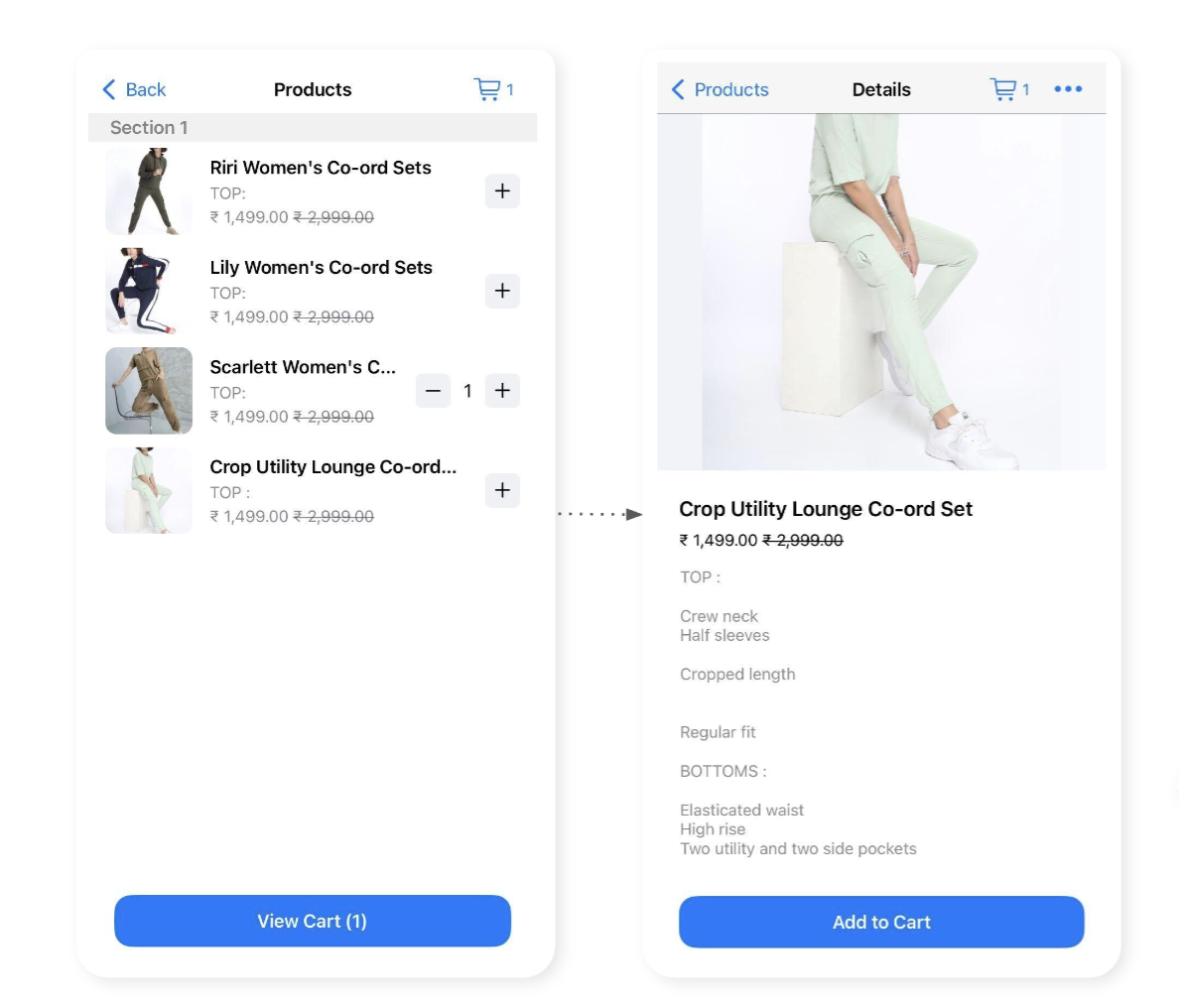
The Catalog offers a visually appealing and user-friendly interface that allows your customers to explore a wide range of products seamlessly. With its intuitive design and comprehensive product information, the Catalog enables users to discover, compare, and add products to their cart with ease. Whether you're an apparel brand looking to showcase multiple product images or a retailer seeking to increase average order value, the Catalog is a game-changer that enhances engagement, conversion rates, and customer satisfaction
***
## Benefits
1. **Enhanced Visual Experience**: The Catalog offers a visually appealing interface, showcasing multiple product images and engaging users with captivating visuals.
2. **Comprehensive Product Information**: Users can access detailed product descriptions, pricing, availability, and additional details like size, color, and material, enabling informed purchase decisions.
3. **Streamlined Cart Management**: The Catalog seamlessly integrates with cart management, allowing users to add products, edit quantities, explore categories, and merge carts, simplifying the shopping process
***
## FAQs
Can I customize the design and layout of the Catalog feature to match my brand's aesthetic?
While the UI of the Catalog flow itself is fixed, you have the flexibility to customize product-specific elements such as titles, images, and descriptions to align with your brand's identity and maintain consistency.
How many products can be included in a single catalog message?
A catalog message can include up to 30 products. If you have more than 30 products to display, multiple catalog messages can be sent to showcase your full range. We can send multiple catalog messages as well
Can I showcase collections within the Catalog? How does it work?
If you are a Shopify brand, you can leverage collections to group products based on common characteristics. The Catalog allows you to display curated collections, enabling users to explore specific themes or categories.
How does the Catalog integrate with the checkout process?
The Catalog seamlessly integrates with various checkout options, including normal checkout links, draft order links with discount flows, and checkout on chat via payment gateways like Razorpay. Users can transition smoothly from product browsing to finalizing their purchases.
Is the Catalog feature available for non-Shopify clients as well?
Yes, the Catalog feature can be activated for both Shopify and non-Shopify clients. As long as the required product information is available, the Catalog can be set up and customized to suit your specific needs.